Two-Part Code Generator and admin interface
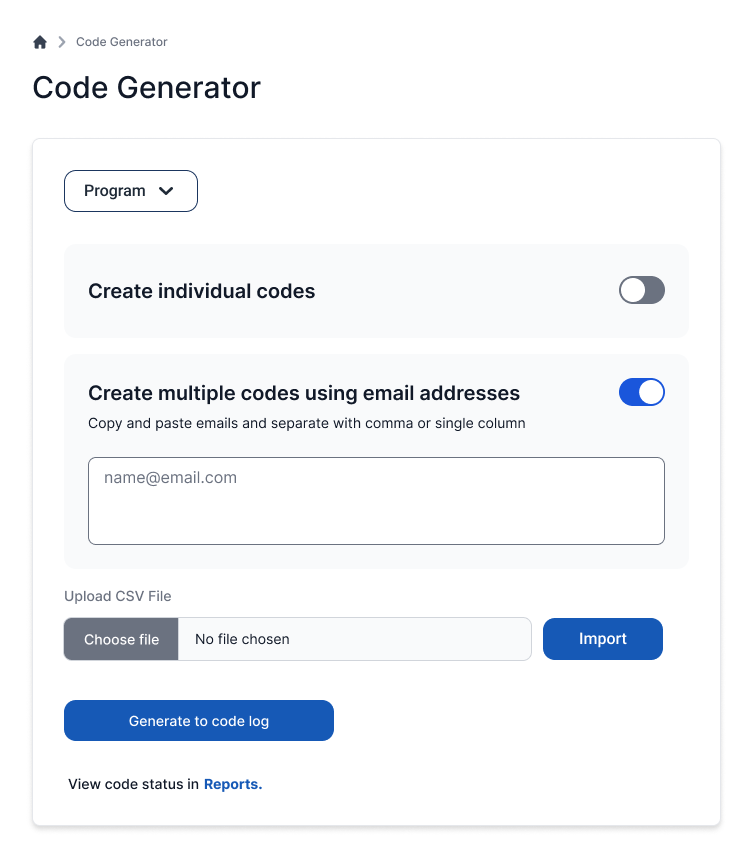
Project information
- Collaborators: CEO, Lead FED, Engineers, Marketing Director
- Client: Blue Sky Marketing
- Tools: Figma
- Role: Feature research, collaborate on strategy, build mockups, design iterations
Imagining a two-part code generator and admin interface for the gift claiming process
Background
Blue Sky Marketing is developing a white-label gifting platform software solution to expand their business model. The platform will be licensed to other companies, allowing them to offer gifting services under their own brand. This initiative aimed to increase revenue and enhance Blue Sky Marketing's competitive position in the corporate gifting market.
The Problem
01
Gift claim codes
Blue Sky Marketing needs a feature that generates unique codes for gift claims. Those codes have to associate with email addresses so they can be delivered.
02
Two ways to generate
The generator has to support two use cases: create individual codes by quantity with no email attachment, and create codes linked to entered emails.
03
Easy to use, possible to build
The code generator and data table need to be intuitive for a marketing audience that is not familiar with technology, and still work within engineering capabilities.
Researching code generators
Research was simple, since this is not a feature I am familiar with seeing. I did an online search for code or token generators in hopes of finding examples I could be inspired by. Taking inspirations and make them work for Blue Sky's audience and engineering capabilities.
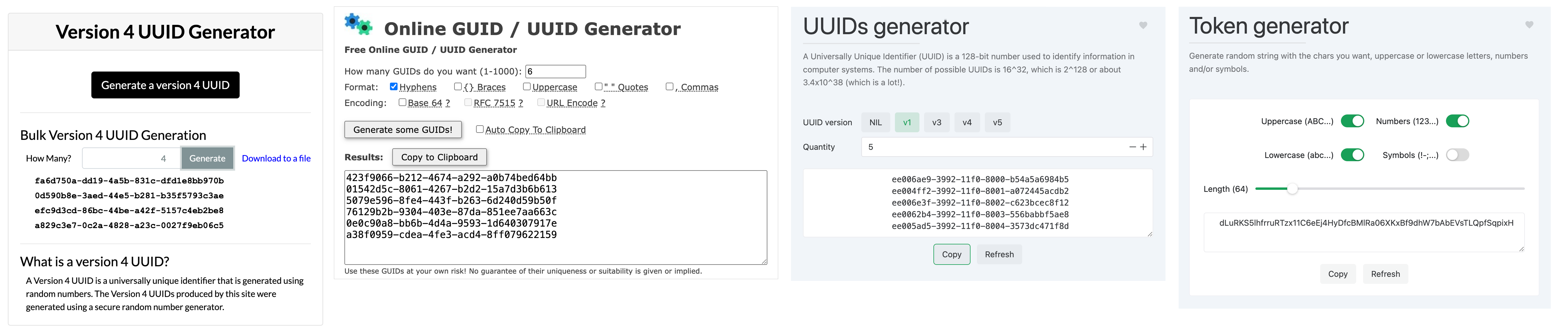
Code generater examples for inspiration.
First iteration to meet requirements
Met with team to define requirements and goals. There was a lot of ambiguity about how the code generator would work with the database. I began ideating and included what I felt met requirements.
- A way for the user to upload csv files of email addresses for codes to attach to.
- An additional option to generate codes alone without any email attachement.
- An interaction that will generate a csv of the generated data for download and backup..
- Use a familiar drop and drag/file upload element was used for email uploads.
Feature requirements and goals
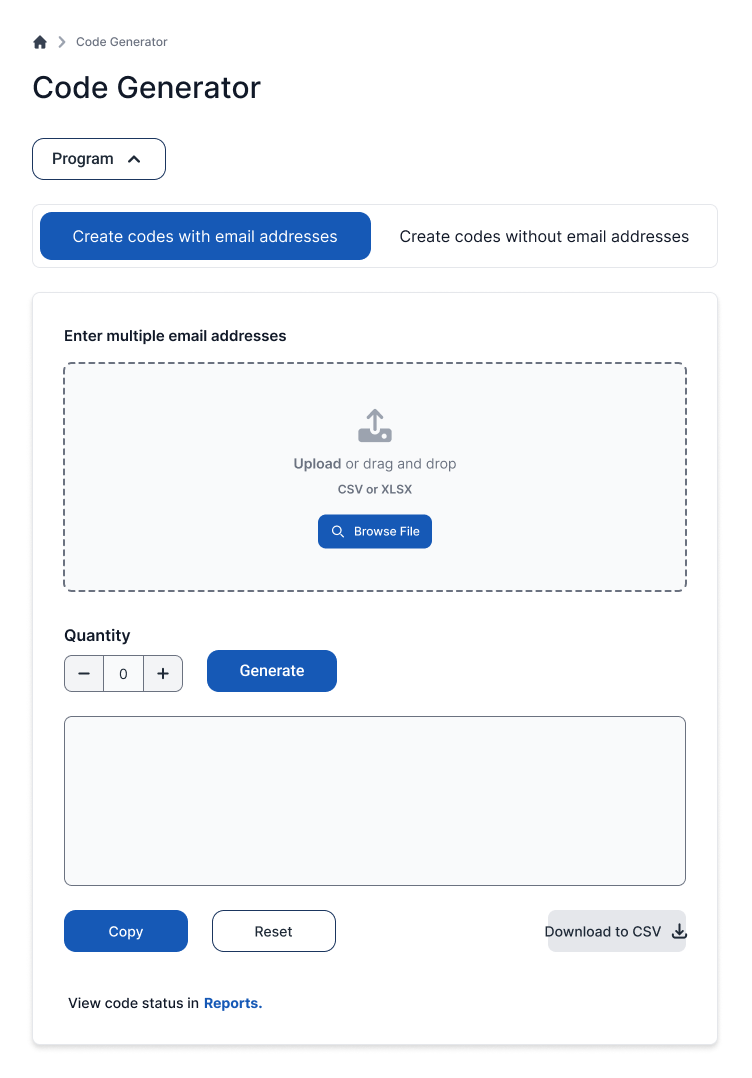
First use case - Multiple code generation using email addresses.
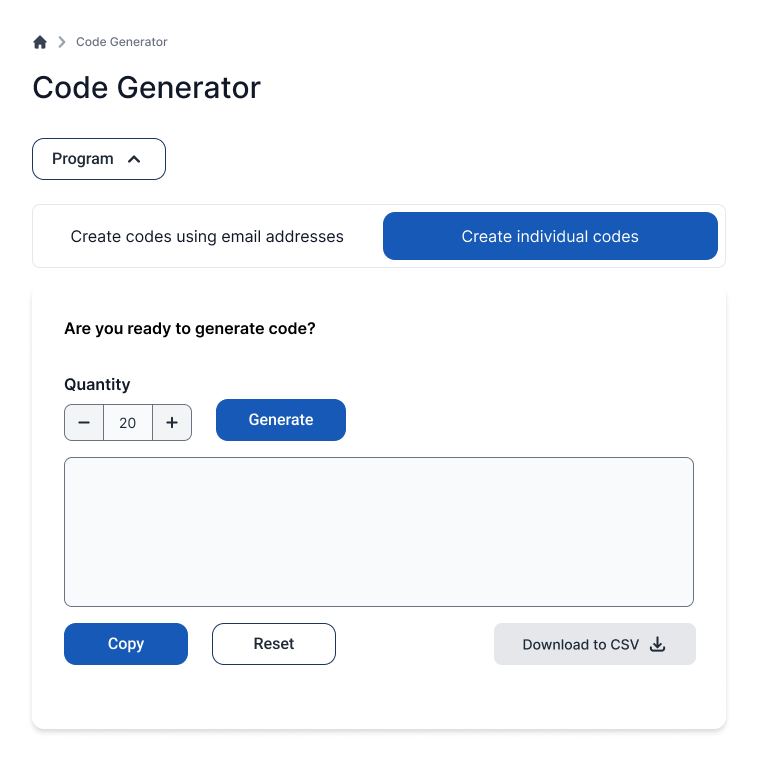
Second use case - Create codes by quantity.
Pain Points
Code generator was presented to the Marketing team for user testing. They were concerned the interface was too difficult and contained to many interactions. Some of which were not necessary.
Pain points to be addressed.
- Explore a different tab option.
- Add an additional way to add emails outside of csv file upload.
- Remove the copy button since it's not needed, as well as the reset and download buttons. The Code Log will contain file management and csv download features, so there's no need for them on the generater.
- Quantity counter not necessary for this use case.
- User will not need to view the codes after they are generated. This too, will be in the code log.
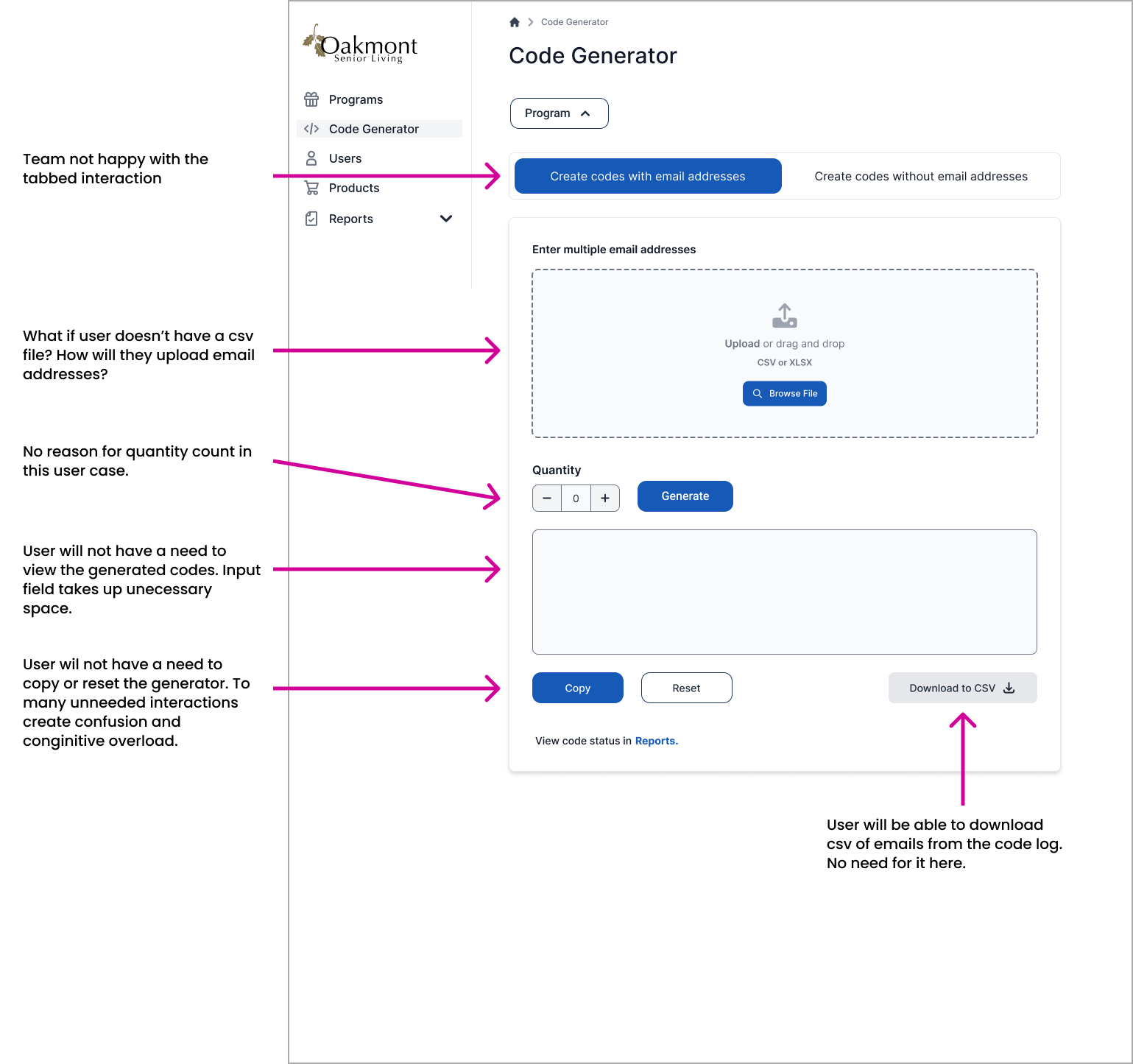
Pain points illustrated.
Iterations
- I changed the interaction to between the two use cases to accordian to simplify the interface, however, the team still felt this was too complicated and could frustrate the users.
- Added an email entry option for single email addresses, so the user could enter email addresses manually.
- Removed the elements that had no use.
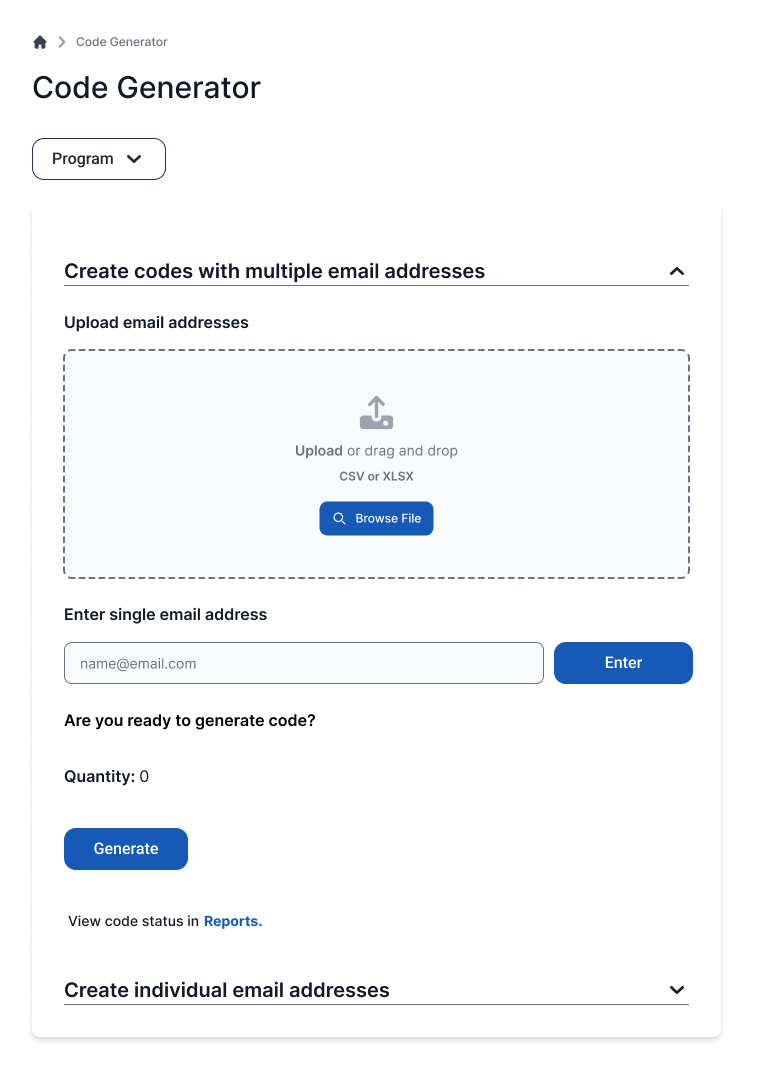
First use case - Multiple code generation using email addresses.
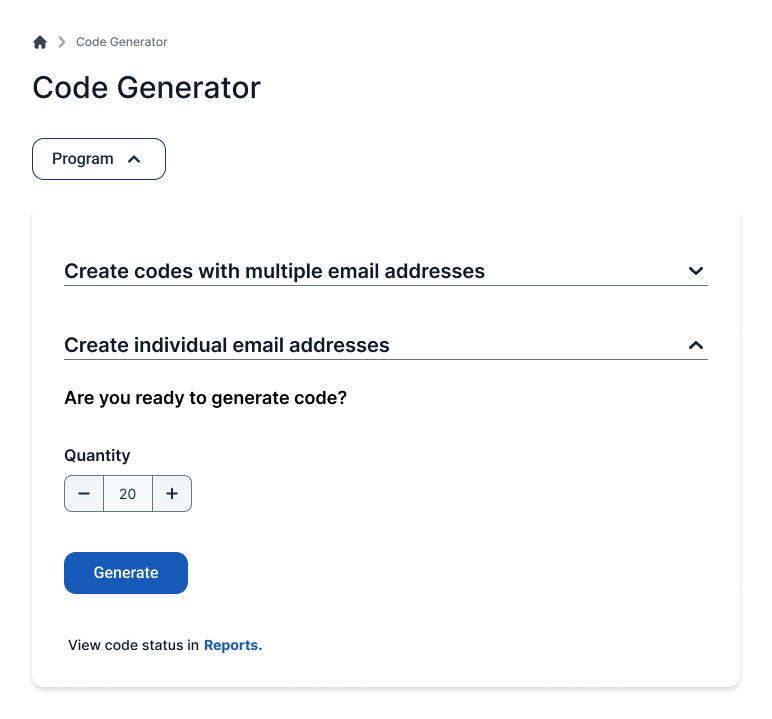
Second use case - Create codes by quantity.
The Solution
- The toggle interaction was retained, but redesigned to a more simpler version allowing the two versions of code generator to live in the same space and switch between them with a toggle button.
- Design was minimized to include only the necessary features.
- The drop and drag/upload window was eliminated since the codes themselves didn't need to be visible. The code would be sent straight to the code log and be visible from there.
First use case - Multiple code generation using email addresses.
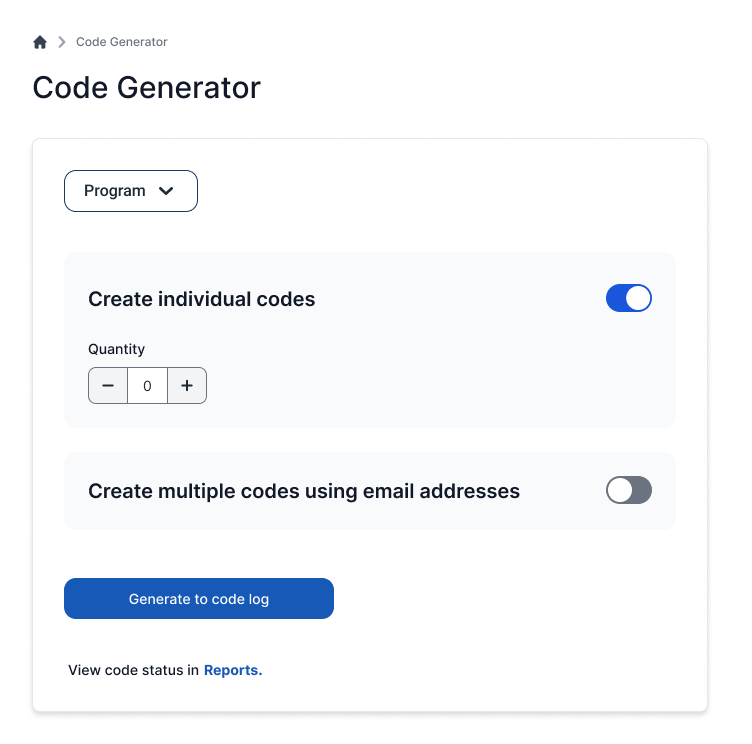
Second use case - Create codes by quantity.
Making a code log database interface as part of the gift claiming process
The code log report data table is designed to integrate with codes imported from the generator. It provides an interface for the marketing team to manage codes and track their usage on the gifting platform.
Code log goals:
- Ability to filter between all, used and unused codes
- Download data to CSV
- Delete feature
- Sort data between gifting programs
- Send gift claim emails to employees
- Manage gifting data and progress
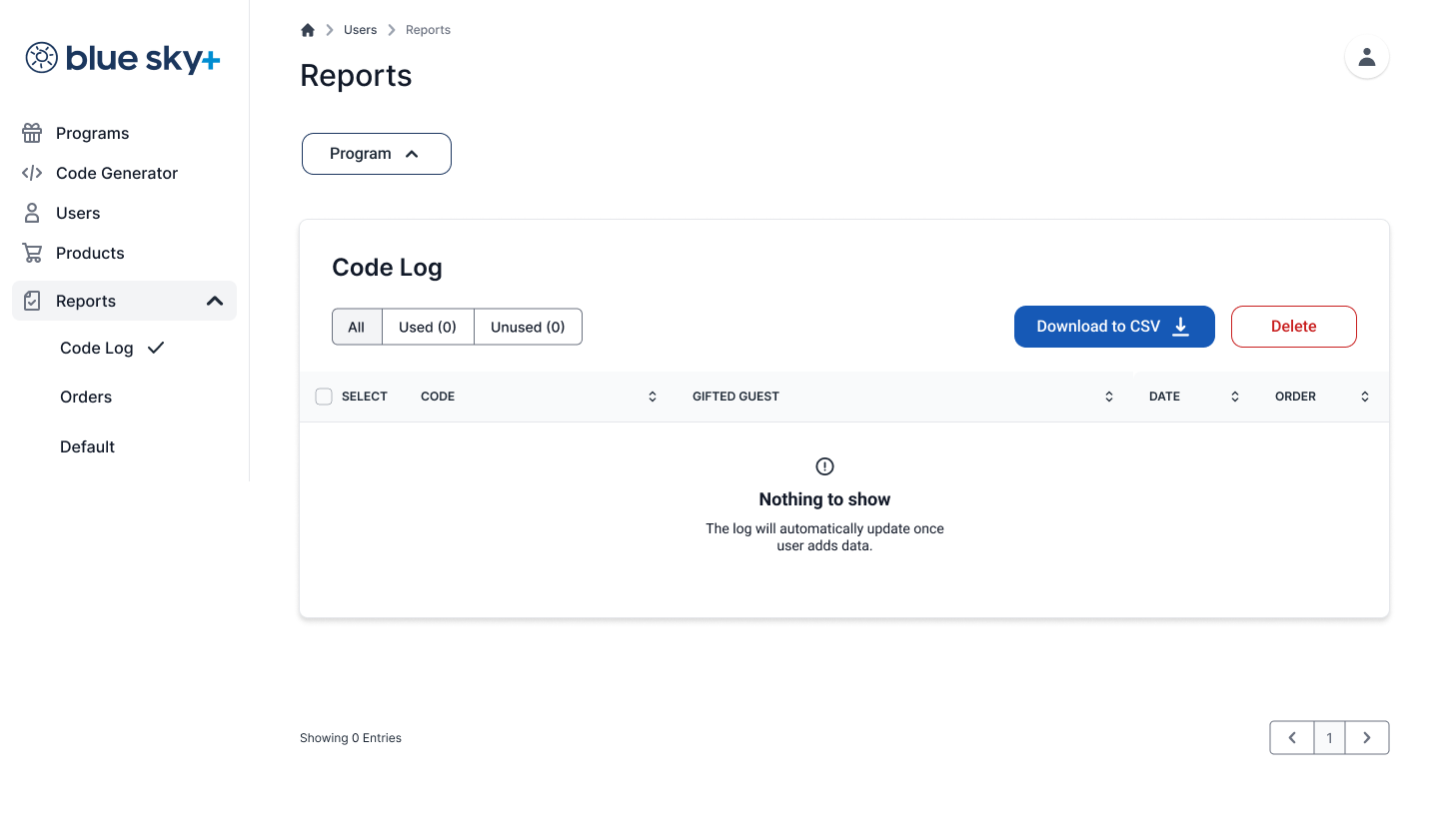
Code Log empty state.
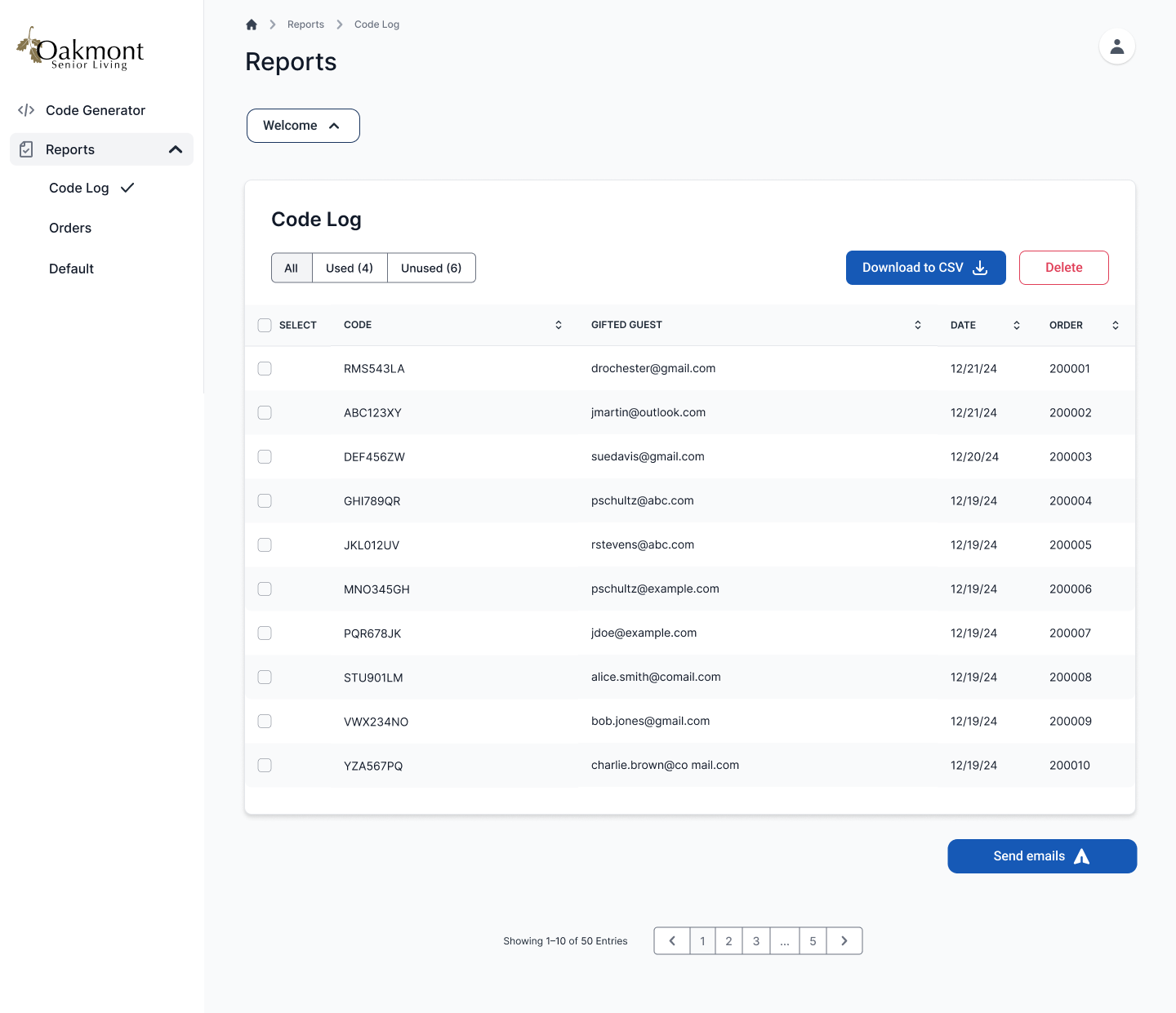
Code Log active state.
Gifting process user flow from code generation to gifting platform login
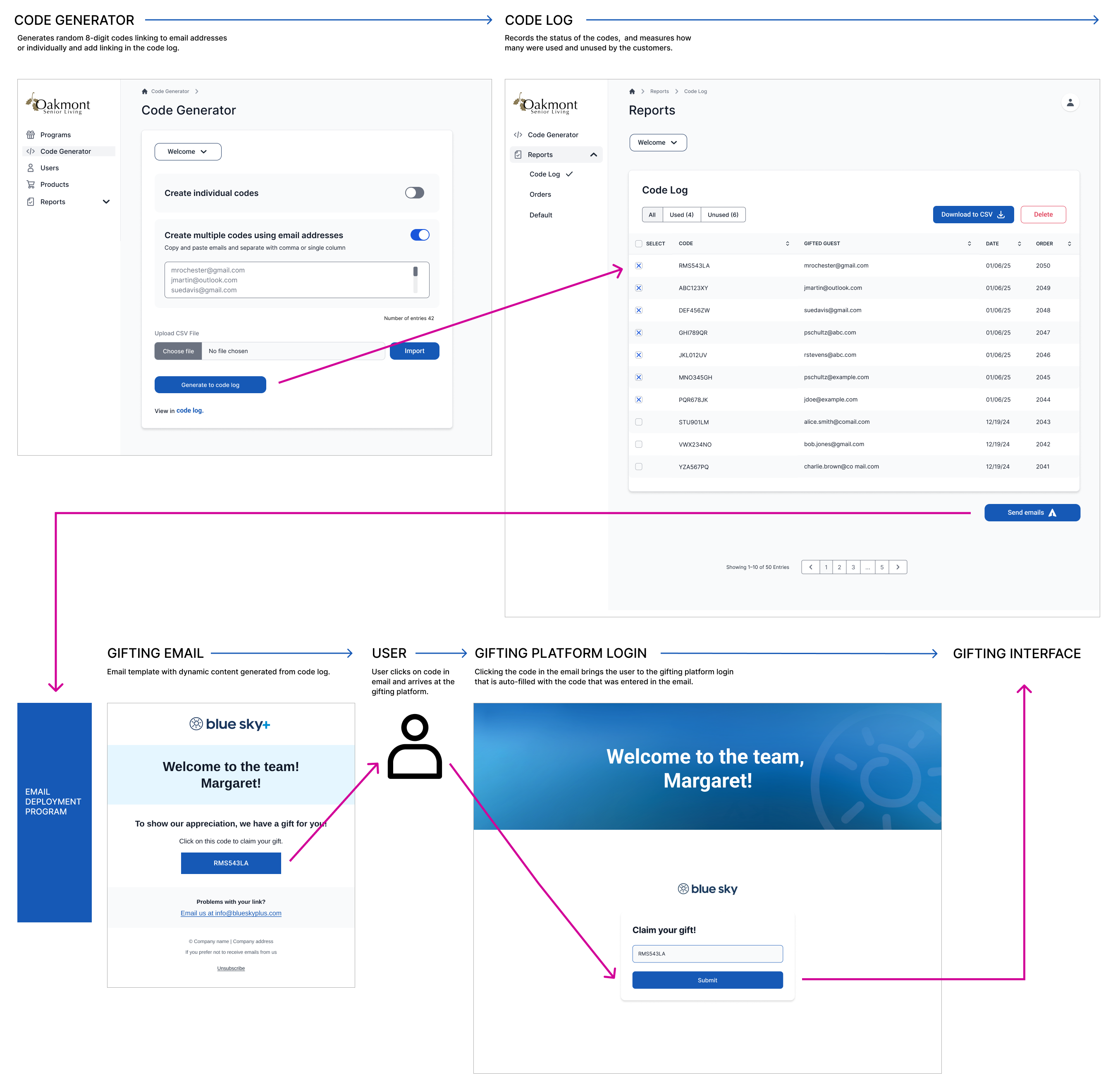
Code generation user flow
Takeaways
The team liked the toggle button option, but I was concerned about the mobile view of this composition and second toggle button disappearing from view when the first one was open. Given more time, I would've worked more on the first idea of tabs, keeping the navigation at the top seemed more intuiive and required the fewest steps.
There was a lot of ambiguity in the requirements, so it was difficult to know what was expected and what was not. I kept asking questions and iterating until a solution was found. It's important to learn the most you can about user goals to minimize confusion during iteration stages.