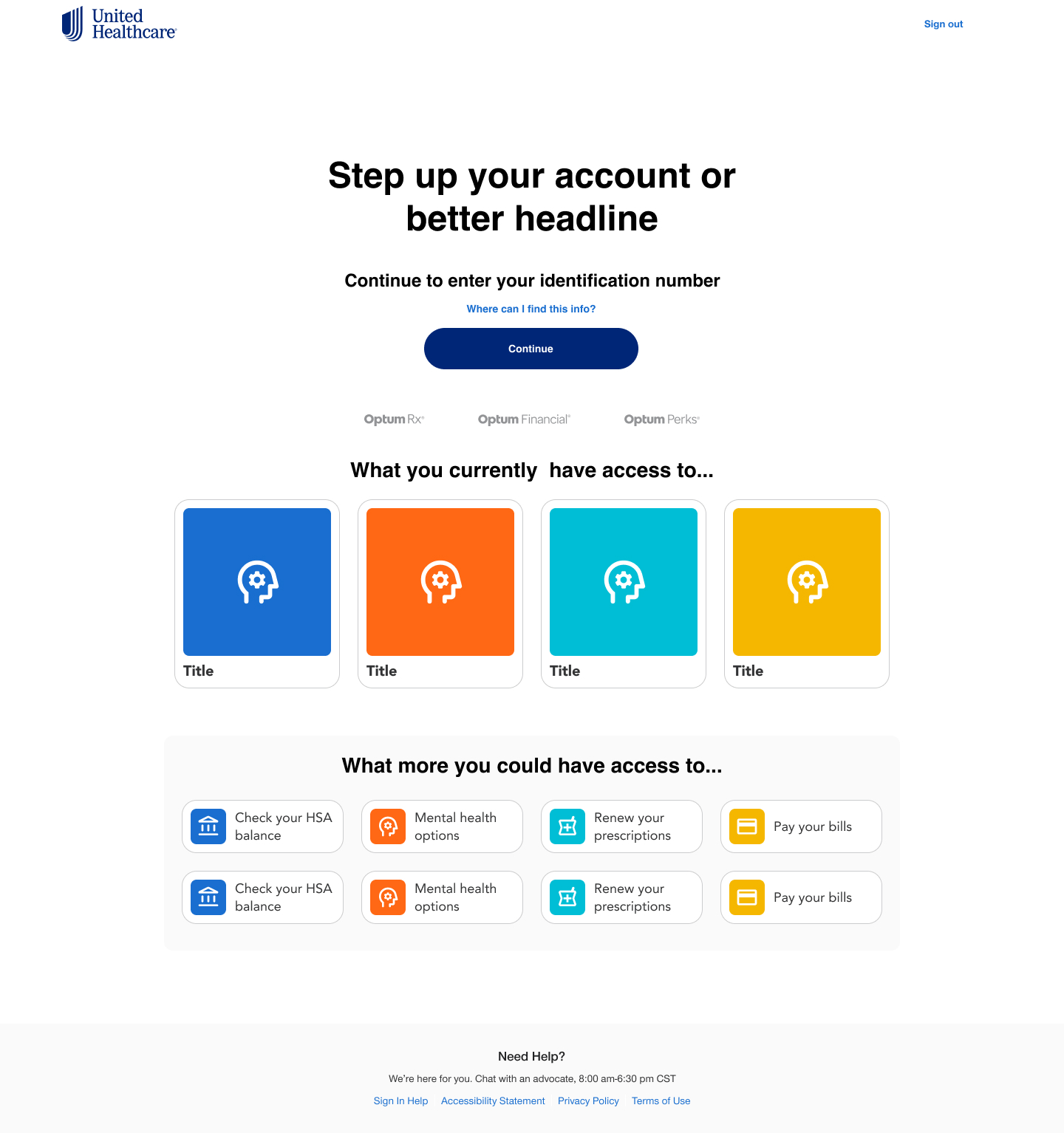
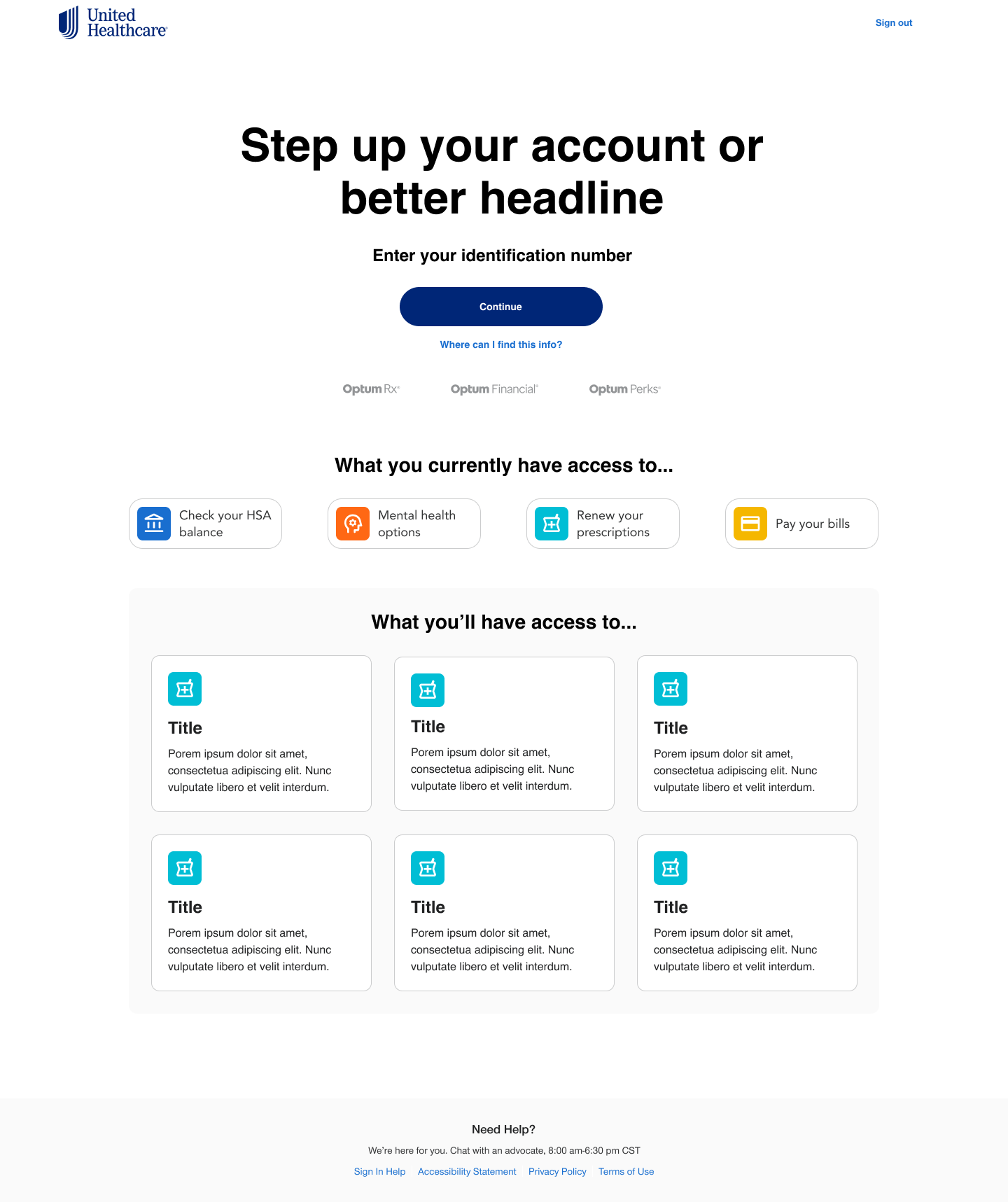
UI Design for HealthSafe ID Step-up Login landing Page
Project information
- Collaborators: UX Director, Sr Product Designer, Engineers, Business team
- Client: Optum
- Tools: Figma, Photoshop
- Role: Understand current user experience and how it relates to new feature. UI design solutions.
HealthSafe ID step-up login landing page to improve online engagement and relieve customer service calls
The Problem
- Users can enter their member ID during account creation, or choose to skip this step and complete it later.
- Completing this step is required to unlock all private account features. Users who skip it must return later to finish the process.
- Research shows many users never complete this step, which prevents them from accessing features available in their account.
- This gap is driving a high volume of customer support calls, with users requesting help for features they could access on their own.
The Business Goal
Reduce support call volume by encouraging users to complete the member ID step and finish their account setup.Benefits of step-up experience
- Reduces support call volume.
- Creates an incentive for users to complete the account creation process.
- Improves security with identity verification.
- Increase user comfort having access to private information.
The Challenge: How can we create an interesting landing page experience that encourages the user to step up their account?
Making a journey map helped me understand the user flow and uncover possible pain points.
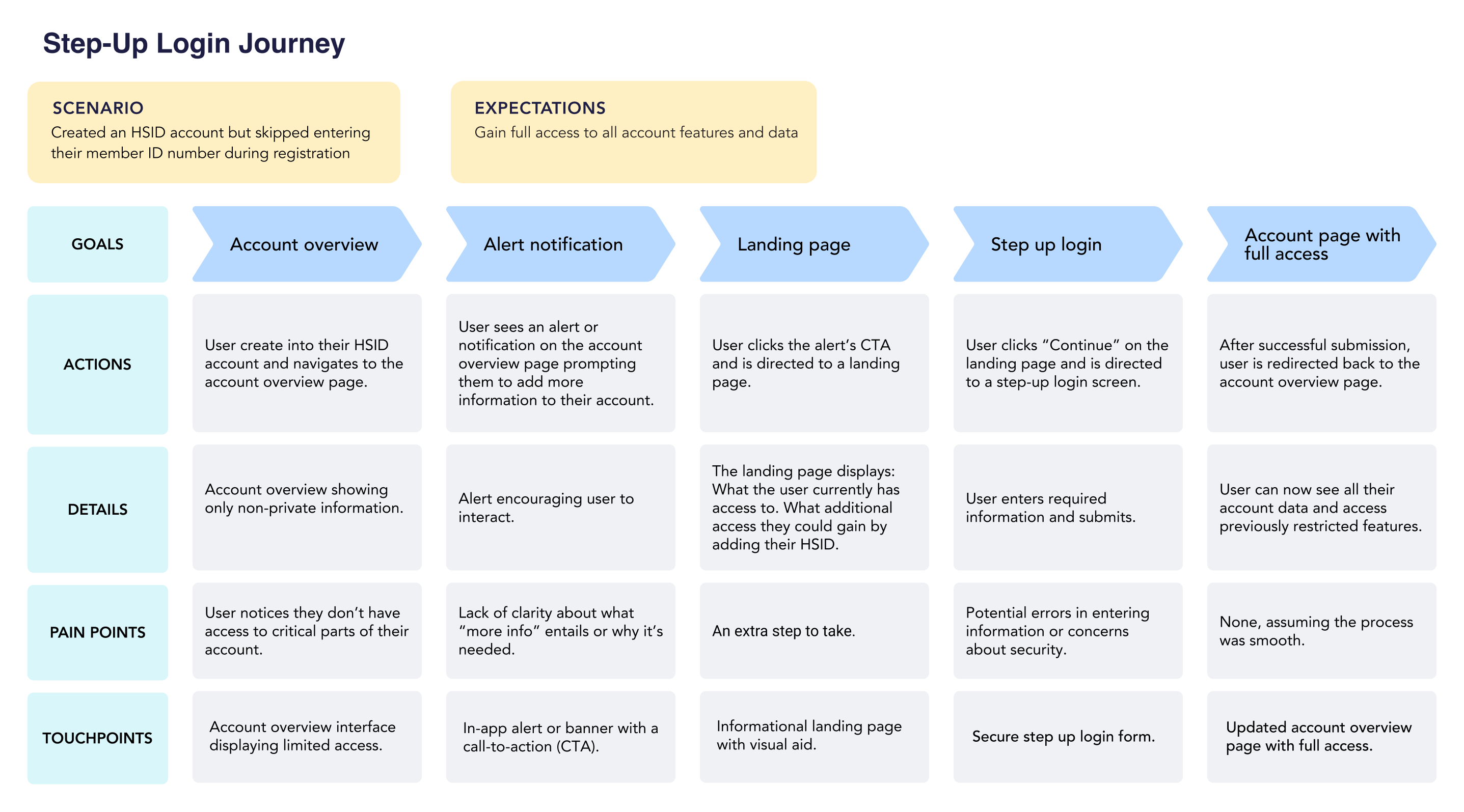
The Strategy
After meeting with UX Director and business, we defined the purpose of the experience and how we would approach the problem.
Goals
- Create an attractive experience for that would entice the user to engage.
- Showing the user what features they would have access to if they would complete the step up process.
- A simple process that would require the user to enter their account id on the landing page to move onto the login screen.
- Make a cohesive, unified digital experience for users.
Page Hierarchy
- Primary: Enter their identification number
- Secondary: Educate user on what they have access to.
- Educate user on what they could access if they just provided their Identification number.
- Step-up their account.
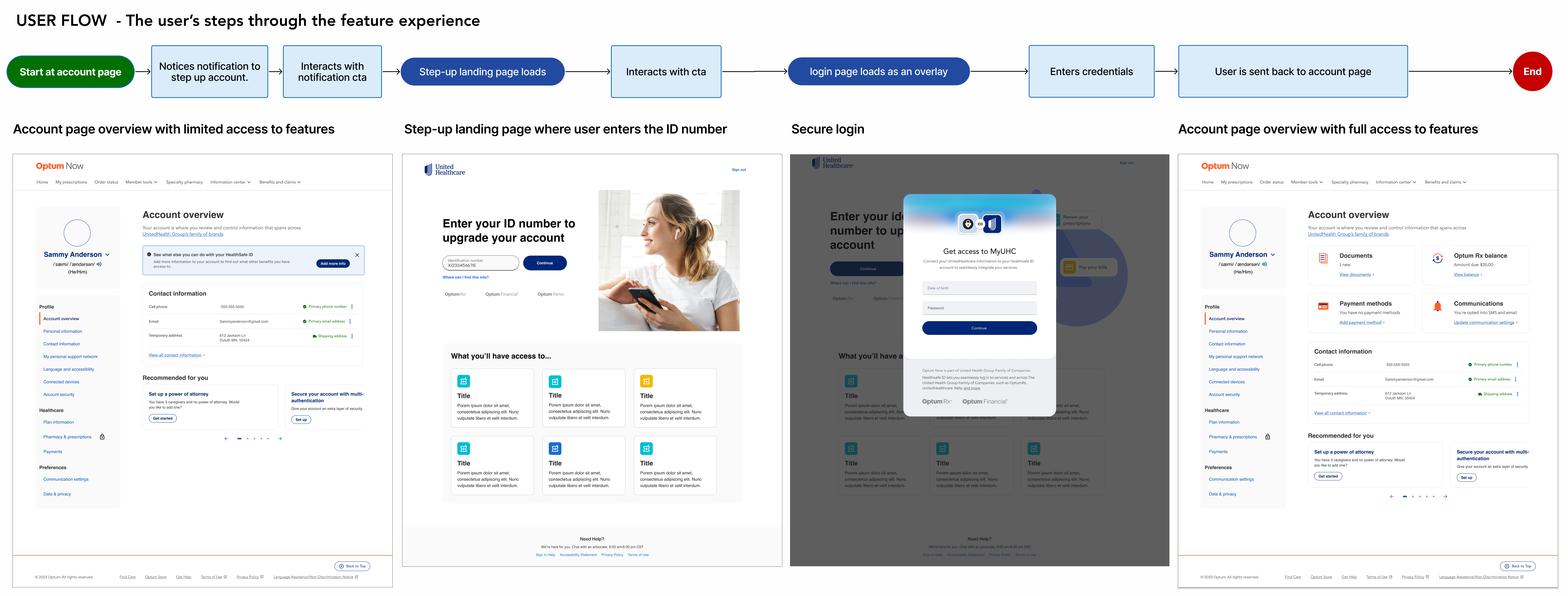
Step up user flow
Pain Points
- Research showed that user was hesitant to enter their id number in a landing page.
- The design presented an unfamiliar login experience.
- Question of whether we really needed an actual landing page. Was it too much?
- Engineers were concerned about time involved in development.
- Felt unnceccessarily overhwhelming.
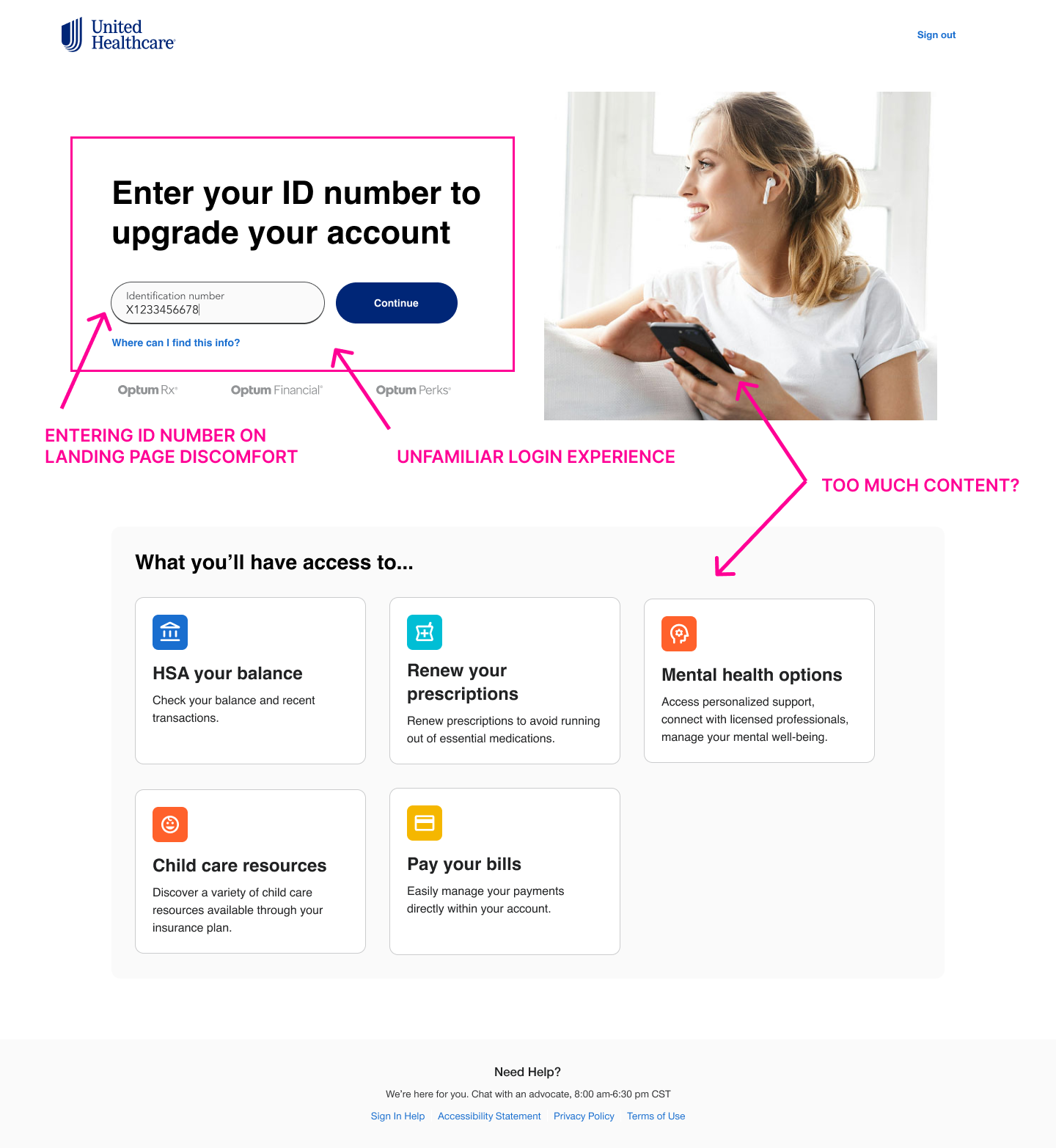
Points of concern
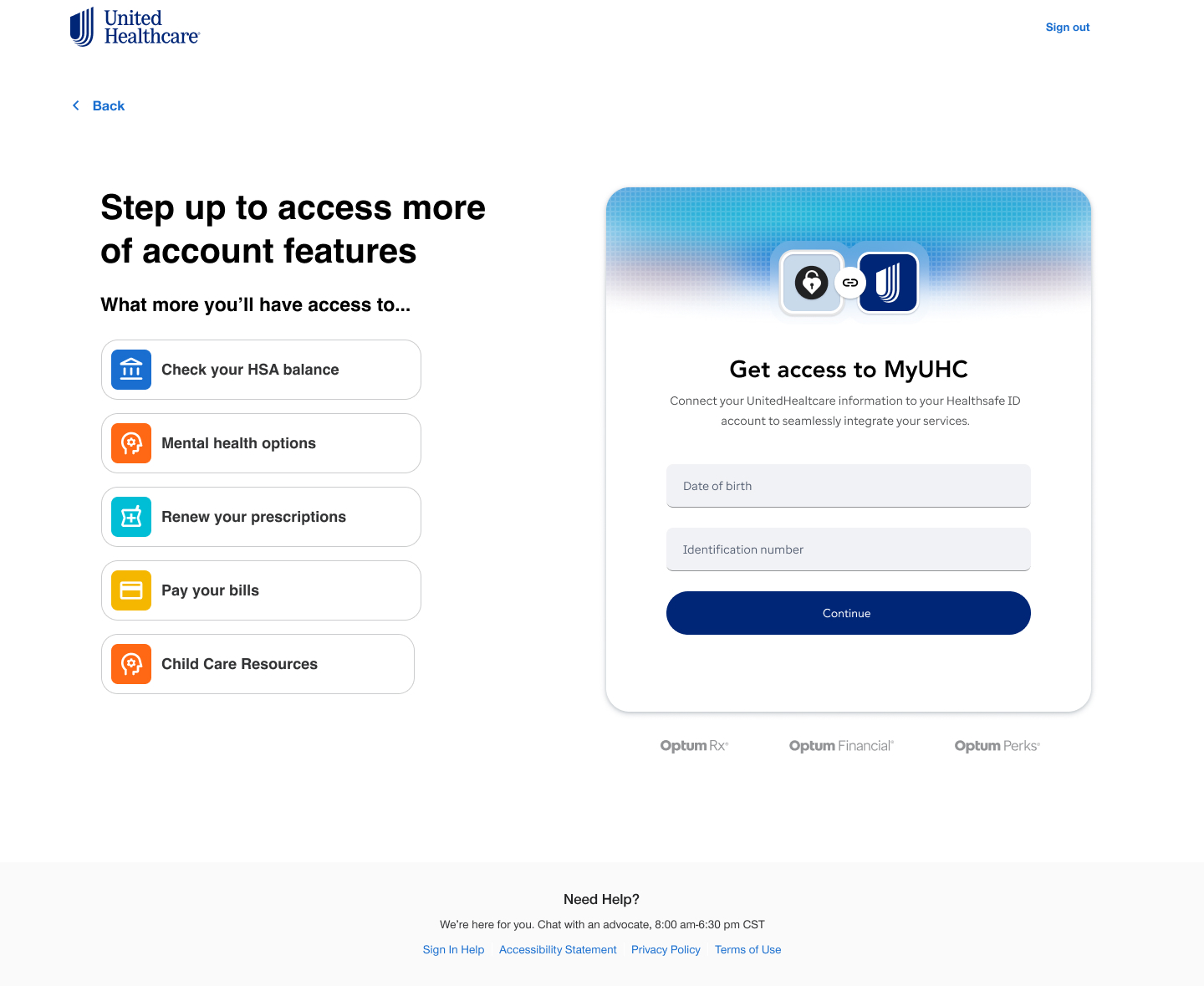
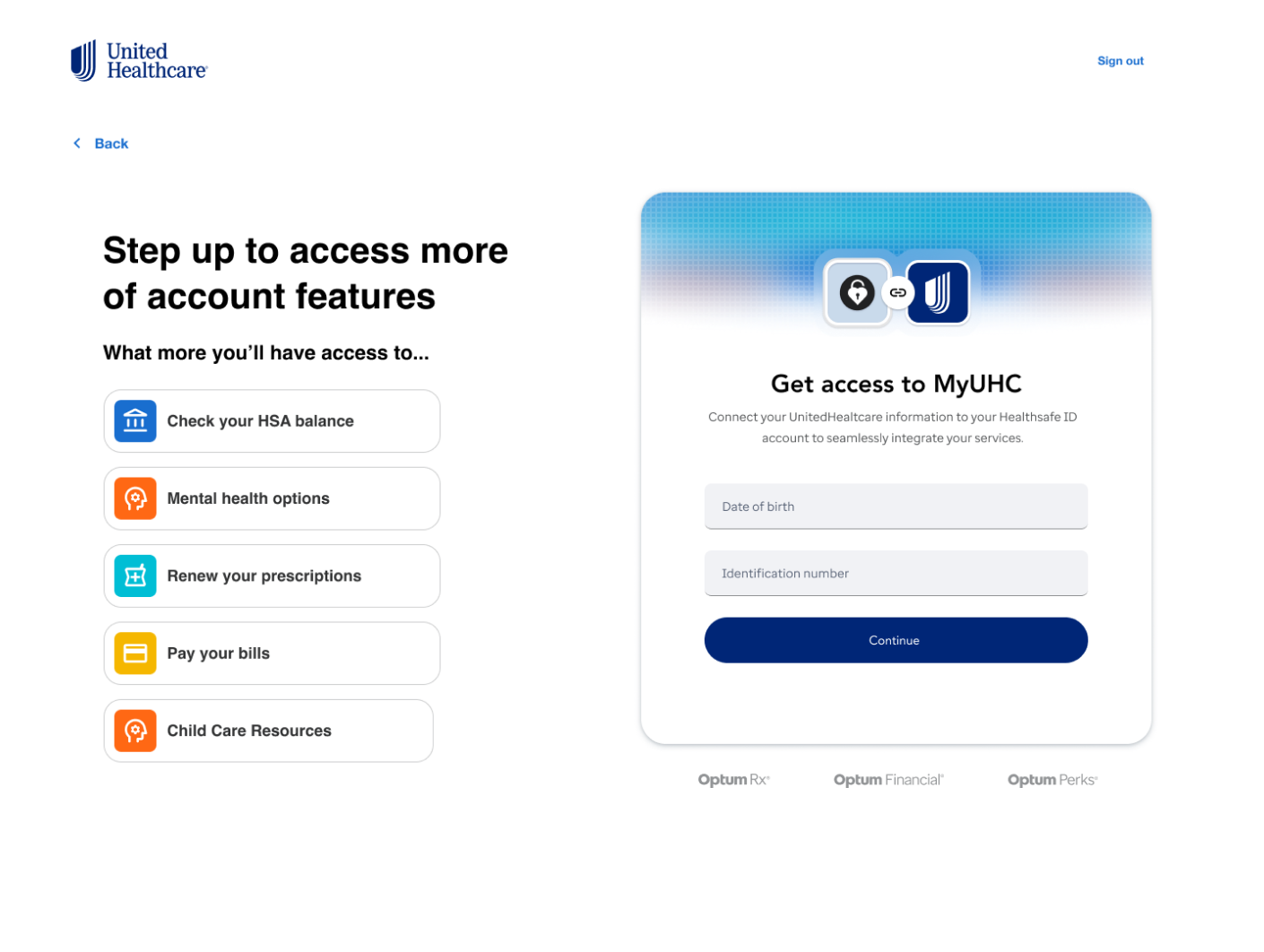
Final solution
The Solution
- Gained more trust in users by having the familiar brand login.
- Minimized the development time.
- Decision to eliminate password using DOB as secure credentials.
- Provided a cleaner presentation.
Summary:
The successful landing page help to minimize Customer Service calls by 20%. Providing an attractive solution to the step-up account process allowed the user full access to all their features and the ability of managing their private information.
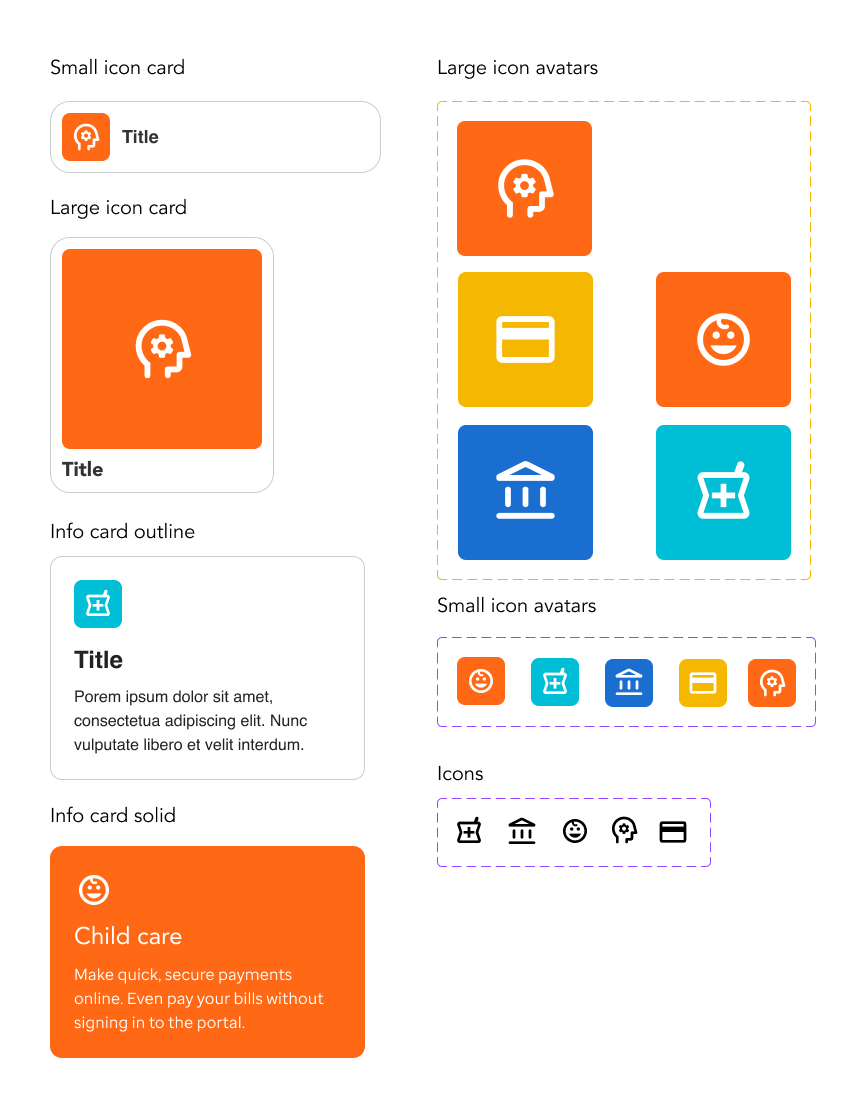
Custom assets
Iterations that didn't make consideration